
Tarbhachd
Dèan an fheum as fheàrr den ùine agad air-loidhne. Tha Microsoft Edge air innealan leithid Cruinneachaidhean, tabaichean dìreach agus buidhnean tabaichean a thoirt a-steach a chuidicheas tu gus fuireach eagraichte agus a’ chuid as fheàrr a dhèanamh den ùine agad air-loidhne.
Molaidhean as Fheàrr
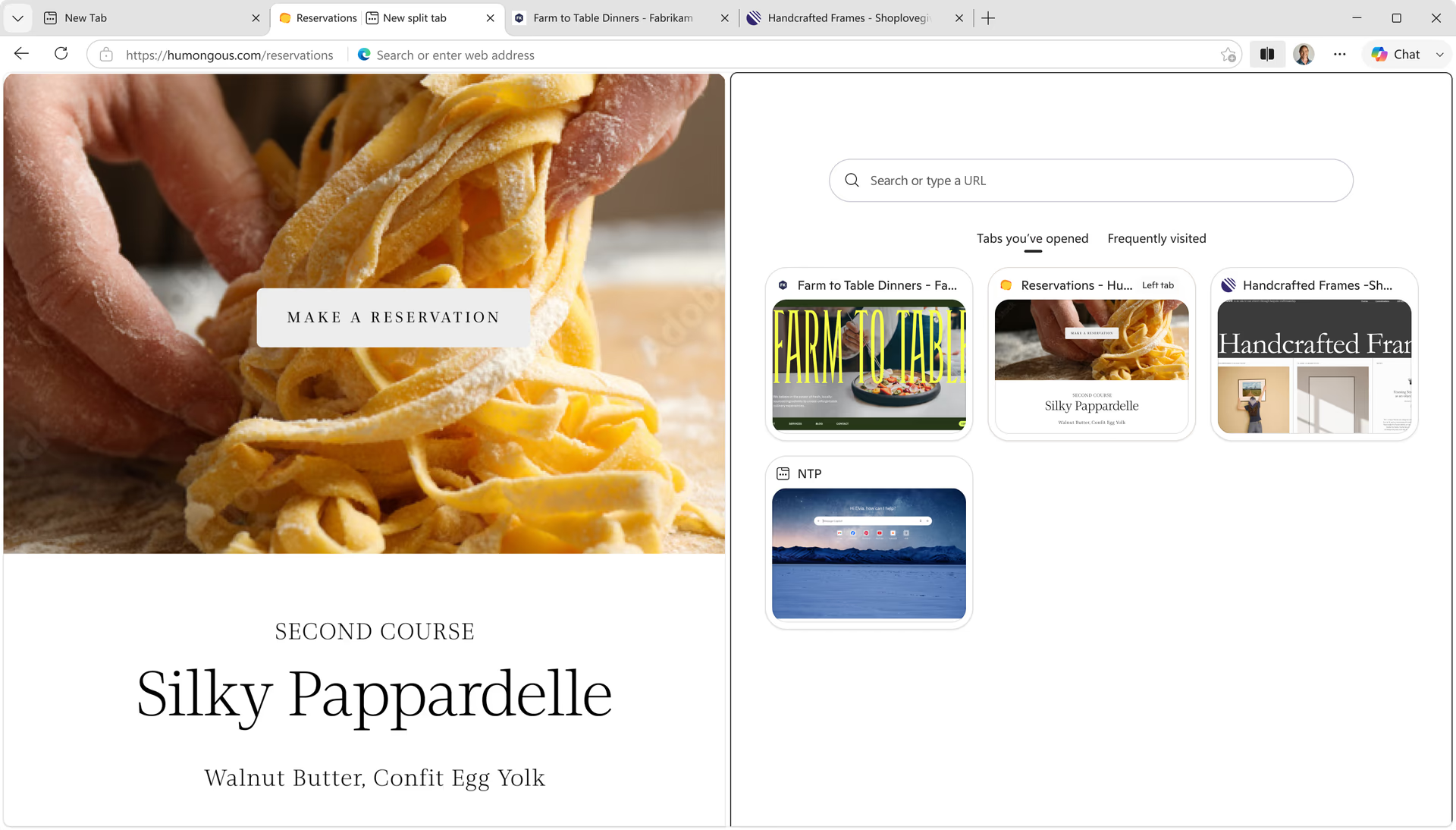
Fuirich fòcasach agus eagraichte le Àiteachan-obrach
Stay focused and organized with Workspaces that help you separate your browsing tasks into dedicated windows and complete specific tasks, such as shopping or trip planning, with ease. Tabs and files are automatically saved and updated in real-time, keeping you and your group on the same page. To get started with Workspaces, select the Workspaces menu icon on the top-left corner of your browser window.
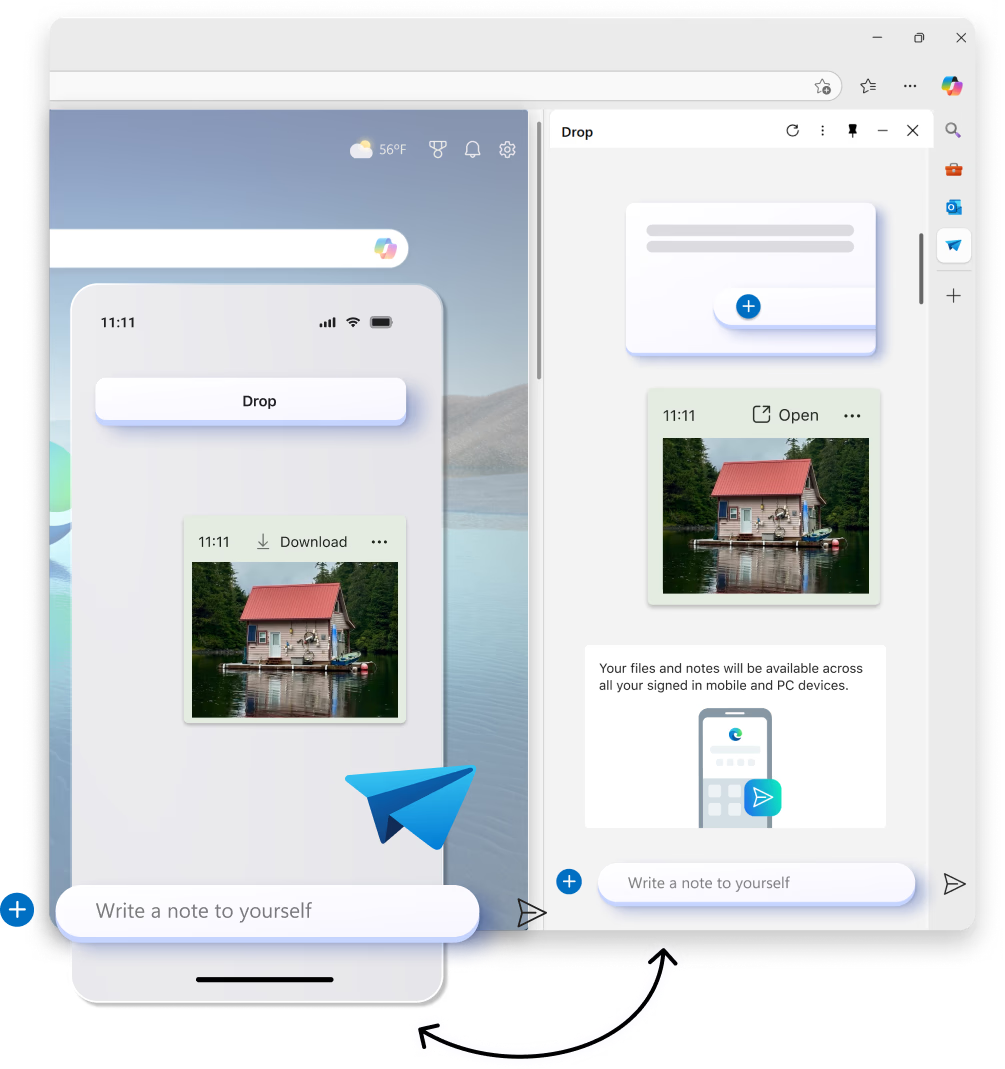
Dèan sìmplidh air roinneadh susbaint eadar na h-innealan agad
Share files, links and notes between your desktop and mobile devices faster than ever. Drop in Microsoft Edge allows you to stay in the flow while you browse with easy drag and drop file sharing as well as self-messaging that lets you to quickly send yourself a link or note.
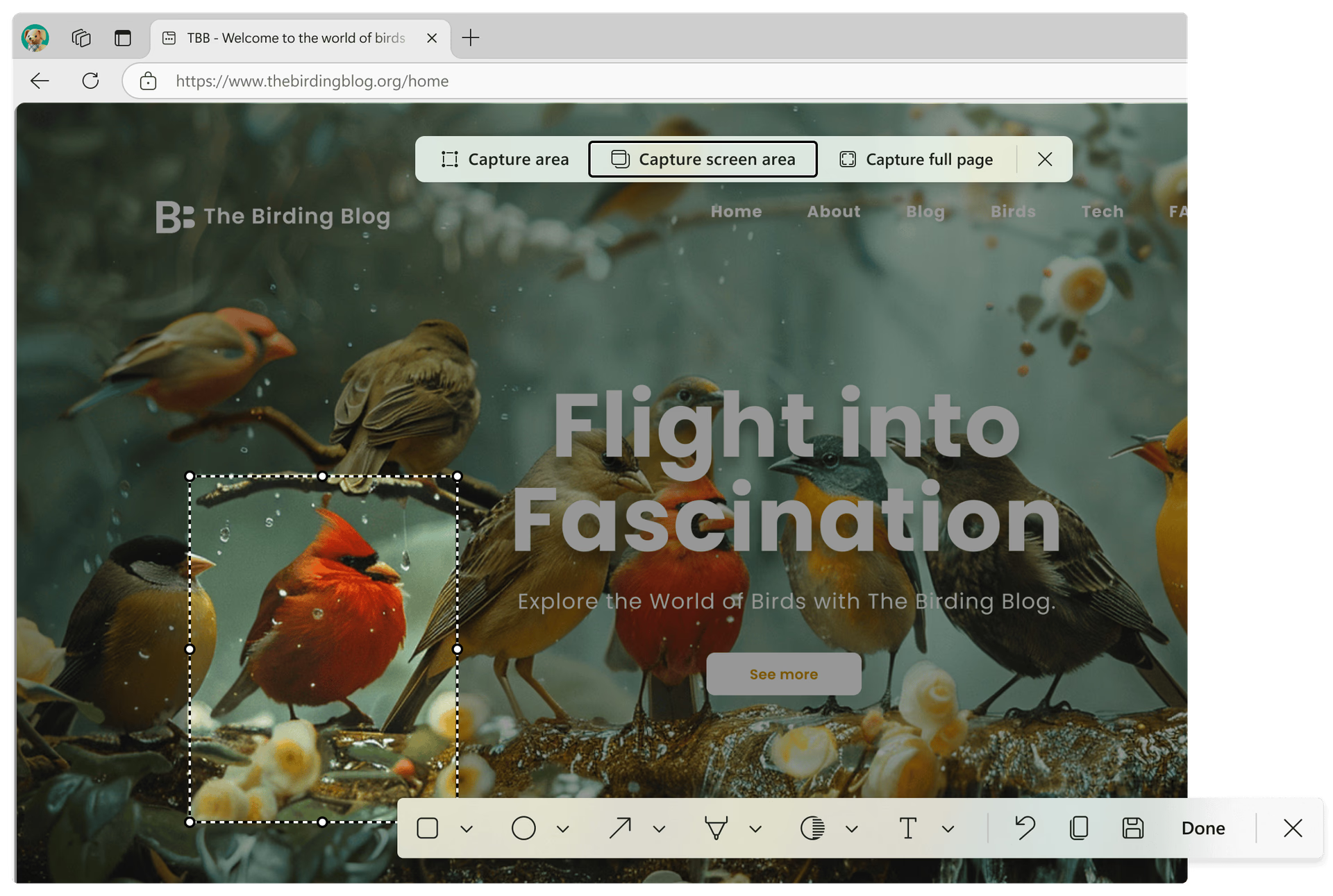
Glac na tha cudromach le dealbhan-sgrìn ann am Microsoft Edge
Take control of your online content with screenshot tools built into Edge. Whether you're saving a snipping of a webpage or capturing the entire screen, Edge makes it easy to grab exactly what you need - fast. Use Control+Shift+S to get started.
Tarbhachd
- * Dh’fhaoidte gum bi diofar ghleusan ri làimh agus gun dèan iad rudan beagan eadar-dhealaichte a-rèir an uidheim, na margaid agus tionndadh a’ bhrabhsair.