Icon

Update complete!

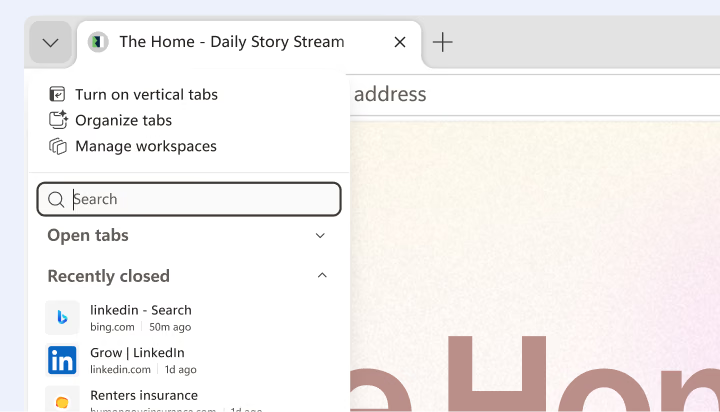
Vertical tabs

Choose the tab layout that fits how you browse. Switch to vertical tabs for faster navigation, better organization, and less visual clutter. 

Think through your finances with Copilot in Edge

Whether you’re focused on saving, preparing for what’s ahead, finding the best credit card, or building financial stability over time, Copilot in Edge can help you think through your options based on your situation.

Turn your interests into quizzes

Copilot in Edge can create a quiz on almost any topic. Ask about what is open on the page or something you want to explore. Just open Copilot in Edge and say “Make a quiz about...”

Create your own browser theme

With the AI Theme Generator in Microsoft Edge, you can personalize your browser with unique custom themes based on your words. Themes change the look of your browser and the new tab page. Explore dozens of pre-generated themes for inspiration or create your own.

A smarter way to plan meals on the go

Plan your next meal with Copilot in the Edge mobile app, that helps you summarize recipes, get ingredient substitutions, and turn ideas into a grocery list so you can shop with confidence on the go.

Work smarter with Copilot in Edge

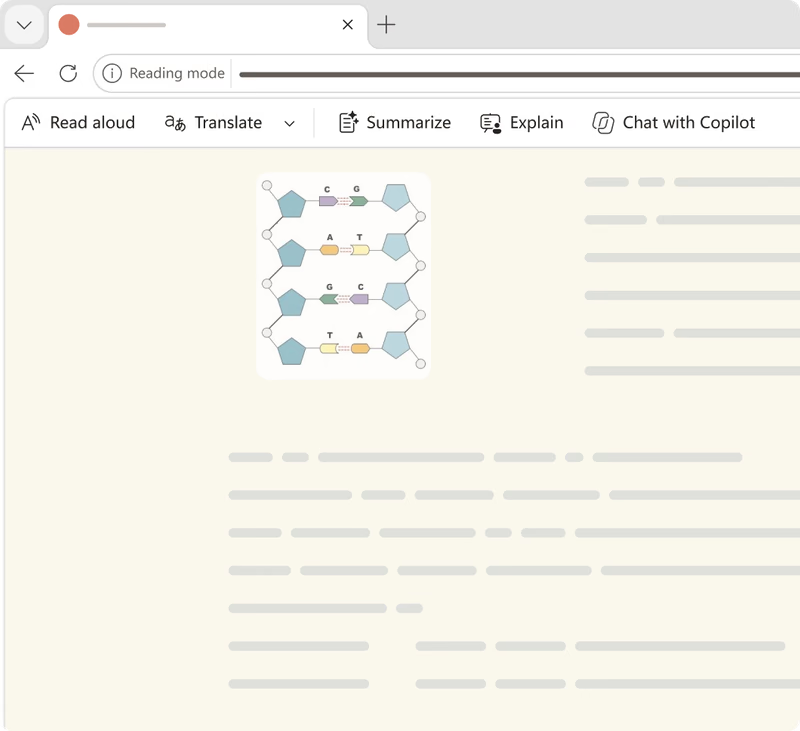
Copilot is your AI companion built right into Microsoft Edge. It's ready to help you summarize a page, draft an email, or provide quick answers to learn something new. Click the Copilot icon in the upper right corner to get started.

Get answers quickly across your open tabs

Analyze multiple pages at once with Copilot to compare documents, summarize research, or highlight key differences across tabs. Turn scattered information into clear answers in seconds.

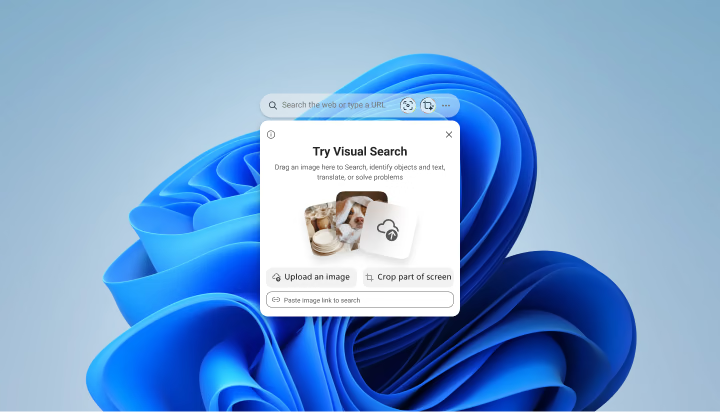
Search images with Edge Search Bar

Visual search is now integrated with Edge Search Bar. Upload a file or drag and drop an image to see search results.

Activate Edge Search Bar and select Visual search icon to get started.

Explore the latest features in Edge

Microsoft Edge introduces exciting new features every month. Click on a tile to explore some of the latest features and built-in tools that help you customize your browser, be more productive, and stay organized.

Vertical tabs

Choose the tab layout that fits how you browse. Switch to vertical tabs for faster navigation, better organization, and less visual clutter. 

Think through your finances with Copilot in Edge

Whether you’re focused on saving, preparing for what’s ahead, finding the best credit card, or building financial stability over time, Copilot in Edge can help you think through your options based on your situation.

Turn your interests into quizzes

Copilot in Edge can create a quiz on almost any topic. Ask about what is open on the page or something you want to explore. Just open Copilot in Edge and say “Make a quiz about...”

Create your own browser theme

With the AI Theme Generator in Microsoft Edge, you can personalize your browser with unique custom themes based on your words. Themes change the look of your browser and the new tab page. Explore dozens of pre-generated themes for inspiration or create your own.

A smarter way to plan meals on the go

Plan your next meal with Copilot in the Edge mobile app, that helps you summarize recipes, get ingredient substitutions, and turn ideas into a grocery list so you can shop with confidence on the go.

Work smarter with Copilot in Edge

Copilot is your AI companion built right into Microsoft Edge. It's ready to help you summarize a page, draft an email, or provide quick answers to learn something new. Click the Copilot icon in the upper right corner to get started.

Get answers quickly across your open tabs

Analyze multiple pages at once with Copilot to compare documents, summarize research, or highlight key differences across tabs. Turn scattered information into clear answers in seconds.

Search images with Edge Search Bar

Visual search is now integrated with Edge Search Bar. Upload a file or drag and drop an image to see search results.

Activate Edge Search Bar and select Visual search icon to get started.

Tab layout

Copilot Mode

Tab search

Copilot

Game Assist
Passkeys
Visual Search
Scareware blocker
Picture-in-picture
Edge Search Bar

Explore the latest features in Edge

Microsoft Edge introduces exciting new features every month. Click on a tile to explore some of the latest features and built-in tools that help you customize your browser, be more productive, and stay organized.

Enjoy these latest features and much more with Microsoft Edge.