

Productivity without compromise

Empower your organization with a browser designed for work—fast, familiar, and secure.

A seamless experience for your workforce

Familiar and trusted

Edge is the browser on Windows. Adoption is easy.

Productive from the start

Microsoft 365 and AI are built in for instant efficiency.

Easy access to work resources

With Entra ID woven in, skip the unnecessary sign-ins.

Learn more about AI that's safe for work, from day one

Edge for Business balances AI productivity with the security and controls IT expects.

Built-in organization

Smart organization your workforce will love.

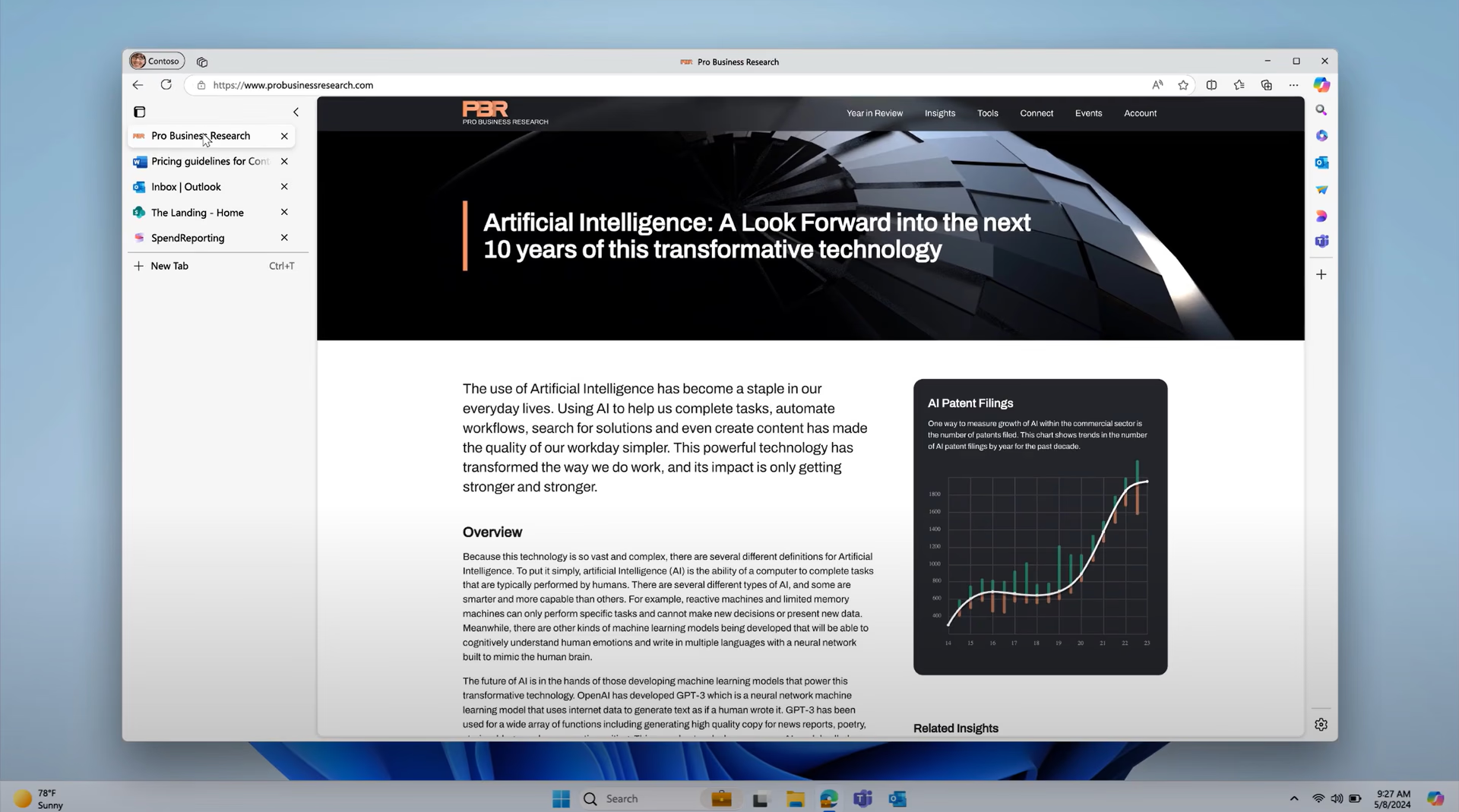
Vertical tabs

Read and find your tabs more easily. Vertical tabs help you stay organized, see more on your screen, and manage tabs from the side of your screen.

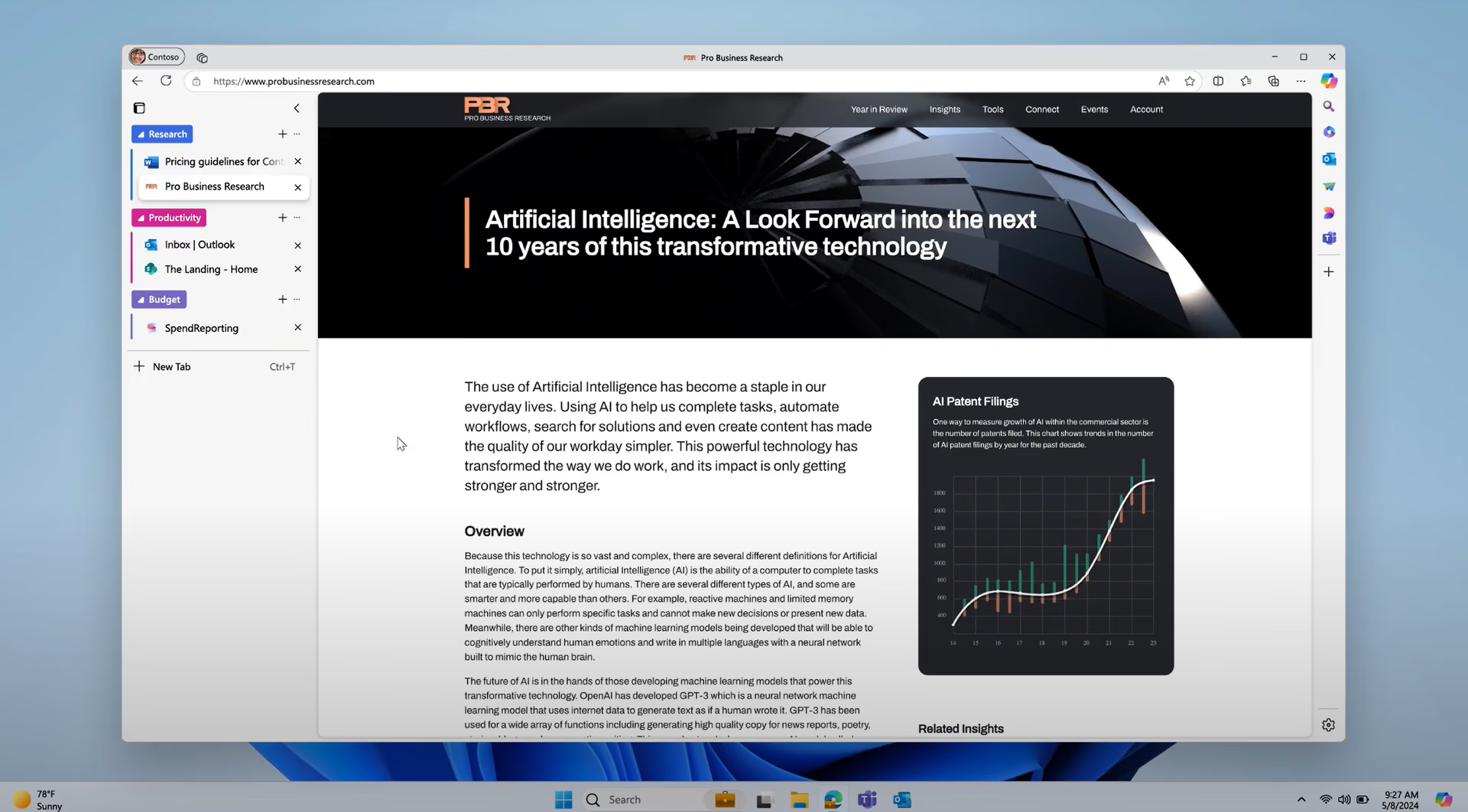
Tab groups

Organize your tabs in an instant. Automatically create tab groups based on tab similarity with the assistance of AI.

Split screen

Multitask more efficiently. Open two webpages side-by-side in the same window with just a couple clicks. No more back and forth between tabs.

Stay in the flow without having to switch apps

Essential tools right where work happens.

Microsoft Search

Quickly search for work files, emails, chats, and more by searching in the address bar. Just like you'd search the web.

Screenshot

Grab screenshots of a whole webpage or an area of a webpage and markup or add comments to your screenshots​.

Built-in PDF reader

Built-in tools like highlight, markup, add text, and more make the browser a natural choice for a default PDF reader.

none

Secure browsing on the go

With the Edge mobile app, your workforce can securely access work files and information on their phone, so they can work from anywhere.

See Edge for Business productivity features in action

NEW

Make any web experience better

Cluttered sites slow work down, and fixes rarely make the backlog. Remix lets users reshape the sites they use in plain language, no code or extensions needed.

Coming soon

Turn information across tabs into an interactive brief

No more building a giant deck to cover every question. Interactive brief quickly turns the information across tabs into a polished, interactive page, so users can explore different views and answer questions on the spot.

Answers across all open tabs

Copilot can analyze content across up to 30 open tabs and give context-rich answers without tab switching, while enforcing your existing data protection policies. Your users get better comparisons and faster decisions.

No more retracing steps

Help your users find that page they saw days ago. With Copilot, they can ask in natural language or by date to get the right page fast and keep work moving.

Turn videos into quick insights

Copilot can summarize YouTube videos and answer questions, so your employees can skip the watch and get straight to what matters.

Get started today with three simple steps

Configure Edge for Business

Set up security, AI controls, extensions, and more based on your organization’s preferences.

Run a pilot

Set Edge for Business as the default browser for a segment of your workforce and gather feedback.

Drive adoption

Ready to make Edge for Business the standard? Take advantage of the adoption kit to help your workforce get the most out of Edge for Business.

  • * Feature availability and functionality may vary by device type, market, and browser version.